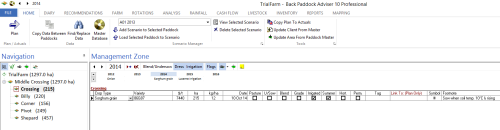
The first thing a new user may wish to do is enter their current and past rotation data into the Sowing section of the program. This can be seen on the Home Tab under the words Management Zone as shown in the image below. Everything in these cells and all click-buttons are used to enter sowing data or events relating to planting such as dressings or undersown seeds
Your Current Year is displayed under the words Management Zone, while the black triangles to the left of the year allow the user to move back or forwards through the years. Alongside this are allocated areas for Blends, Dressings and Irrigation, while Flag and the Link icon allow additional cells to appear in the planting table. The tick-boxes in this section starting with Pasture are used to indicate if certain fields are applicable. Some of these tick-boxes also provide additional options for your Sowing / Management Zones including Perm. for permanent crops and Hort. for horticulture. The Pasture tick box allows the user to designate the current paddock to a grazing gross margin, as opposed to a cropping gross margin.
Sowing Zone Toolbar
Included in the Sowing Zone are options that pertain to this and other sections of the program. Please see these and their functions below.
 Icons in Management Zone / Sowing and their uses
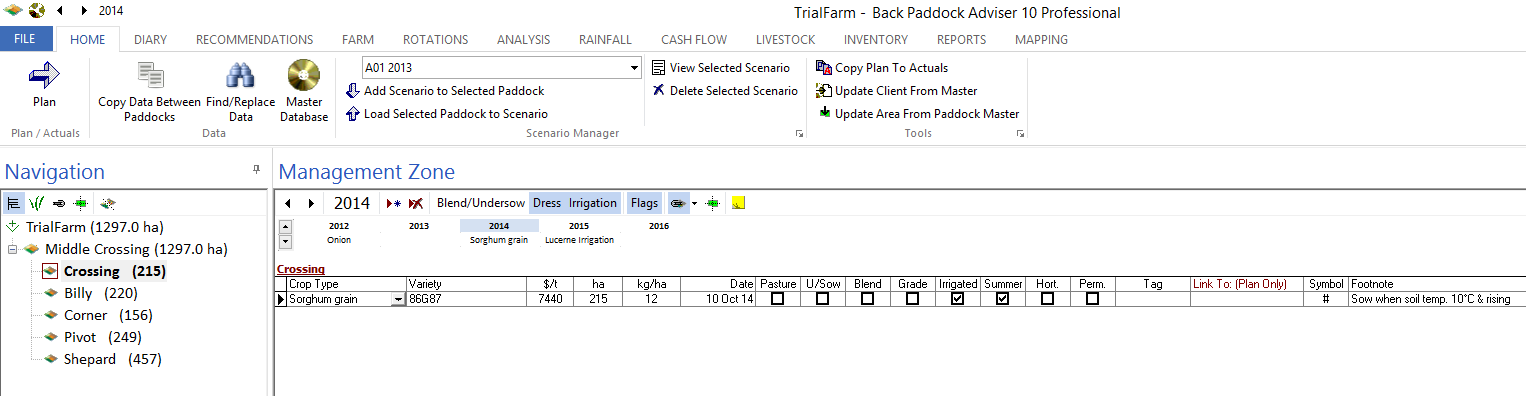
 Current year. This is used to confirm the year currently displayed, and click through the years by use of the black left and right arrows.
Blend/Undersow This enables the user to add Blends or Undersown seeds to the primary Sowing event. Click this to open a pop-up box, where these can be Added 
Dress Dressings are added here, that may be sown in with the seed or around it.
Irrigation Irrigation events for the paddock are entered here. Click this icon to open a pop-up box, and Add detail
Flags Allows the user to toggle on and off certain aspects of the Management zone, including:
 Provides a cell for user to enter sowing tag information as required
 Link To. This enables the user to Link certain paddocks that have identical management. When a change is made to the Master paddock, this is copied through to any subordinate paddocks in the Plan. Click this icon to display a new cell - Link To. This should be used on your subordinate paddocks, choosing the Master in the drop down box that is presented. Changes can not be made to subordinate paddocks so all management including soil health, sprays, operations and production must be identical. This link is created in Plan mode only. See Linked Paddocks for more information.
 The Coverage Map is available in sowing and is used when several management zones exist in a paddock in a calendar year. Perhaps the paddock has been split between chickpeas and cotton? Coverage Maps allow the user to designate where the split sits in the paddock.
 Sticky Note. This acts as a toggle to display permanent paddock notes that have been entered in the Farm section of the program. Things like resistance and water-logging events could be recorded here against individual paddocks.
 Share Farming This enables Share Farming for the currently highlighted paddock, opening a dialogue for the user to select the percentage share of each input for that paddock, and the share farmers name.
A small rotation summary for the paddock over 5 years is available in this region, with current paddock in the centre. Information is collated from the Home tab for each paddock.
Enter Data
Add Crop / Variety to Paddock
You have now successfully entered your Crop and Variety. Some information will have been entered with it, including default seed price and sowing rate. These should now be adjusted to match your situation. To change these, simply click in the required cell (for example, $/t at 7440) and type the correct price over the top using your keyboard.
 If you look to the left of your crop type, you will see something that looks like a little pencil (shown left), this indicates you are in Edit mode. To save this change, click in the next cell to the left or right. The pencil will change to a black triangle - your change has been saved.
The last required field for basic paddock planning in sowing is the planting date.
You have now successfully completed the basic sowing requirements for your field. If you use undersown seed or dressings, click the appropriate title to enter details.
Hint: You will need to start by clicking the Add button  to give yourself a new line in these areas, you can then use the drop down to select your details and adjust as required.
Add Second Crop / Variety to Paddock (Multiple Management Zones)
When the user has more than one crop in a paddock in a calendar year, multiple management zones may be used to store information. Put simply, an additional Sowing line is created which allows the user to assign crop data, soil health, sprays, operations and production information to two separate crops or systems in a year. Clicking between the two crops (management zones) allows the user to display the different inputs associated with each paddock. These can have split areas like a refuge, or can be used for summer and winter cropping where total area remains the same for each Zone.
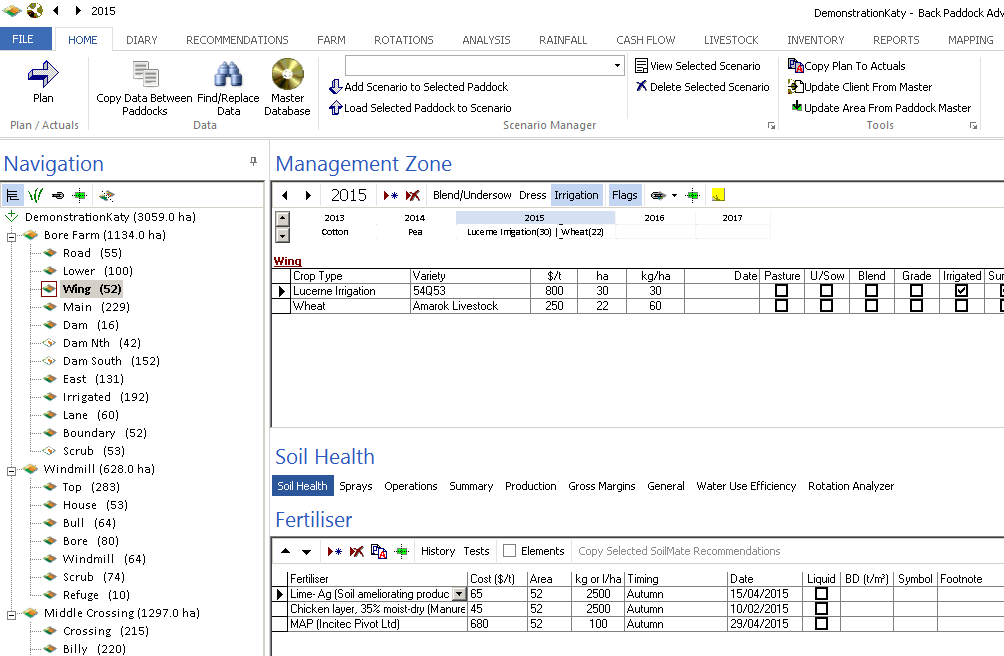
You will now have two entries for sowing, one above the other. Information can be entered into each of these discretely for all inputs; areas for each will filter through your Sowing area as entered above.Your two different crops will be displayed as Divisions in your final General report.
Repeat this for further management zones in the one paddock.